

Hi,
I posted earlier in the Tech support section about this problem:
The graphics and sound settings I apply in the game are resetted to default at each launch; strangely, the Gameplay settings are saved correctly. I'm not sure if it's a bug or technical issue on my part.
Could anyone please clarify please?
PS: A good chap on the Tech support forum suggested I lock the file in which the graphics and sound preferences are saved, yet I don't know if this is the ideal strategy, or where the file is, anyhow.
Thanks in advance.
Graphics and Sound Settings not Saving
27 Jun 2014, 01:18 AM
#1



Posts: 32


27 Jun 2014, 10:16 AM
#2
Posts: 32
Resolved:
Thankfully, I was kindly instructed to delete the CoH2 folder in the "my games" folder; it will automatically recreate itself and should not have personal settings overwritten by defaults.
Thankfully, I was kindly instructed to delete the CoH2 folder in the "my games" folder; it will automatically recreate itself and should not have personal settings overwritten by defaults.
1 user is browsing this thread:
1 guest

Livestreams
 |

|

|
1 | ||
 |
|

|
8 | ||
|
|
|
|
3 |
Ladders Top 10


-
#Steam AliasWL%Streak
- 1.492236.676+3
- 2.934244.793+28
- 3.627365.632+6
- 4.1524816.651+2
- 5.720429.627-2
- 6.268103.722+6
- 7.830145.851+3
- 8.25467.791+6
- 9.397207.657+4
- 10.371126.746+2
Data provided by
 Relic Entertainment
Relic Entertainment
Replay highlight
VS
-
 cblanco ★
 -
 보드카 중대
-
 VonManteuffel
 -
 Heartless Jäger
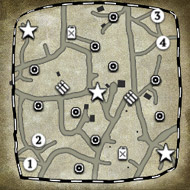
Einhoven Country


Honor it
18
Download
3523
Board Info
1428 users are online:
1428 guests
1 post in the last 24h
8 posts in the last week
14 posts in the last month
8 posts in the last week
14 posts in the last month
Registered members: 17211
Welcome our newest member, Constrsrvs
Most online: 4501 users on 26 Oct 2025, 01:00 AM
Welcome our newest member, Constrsrvs
Most online: 4501 users on 26 Oct 2025, 01:00 AM